
What it does
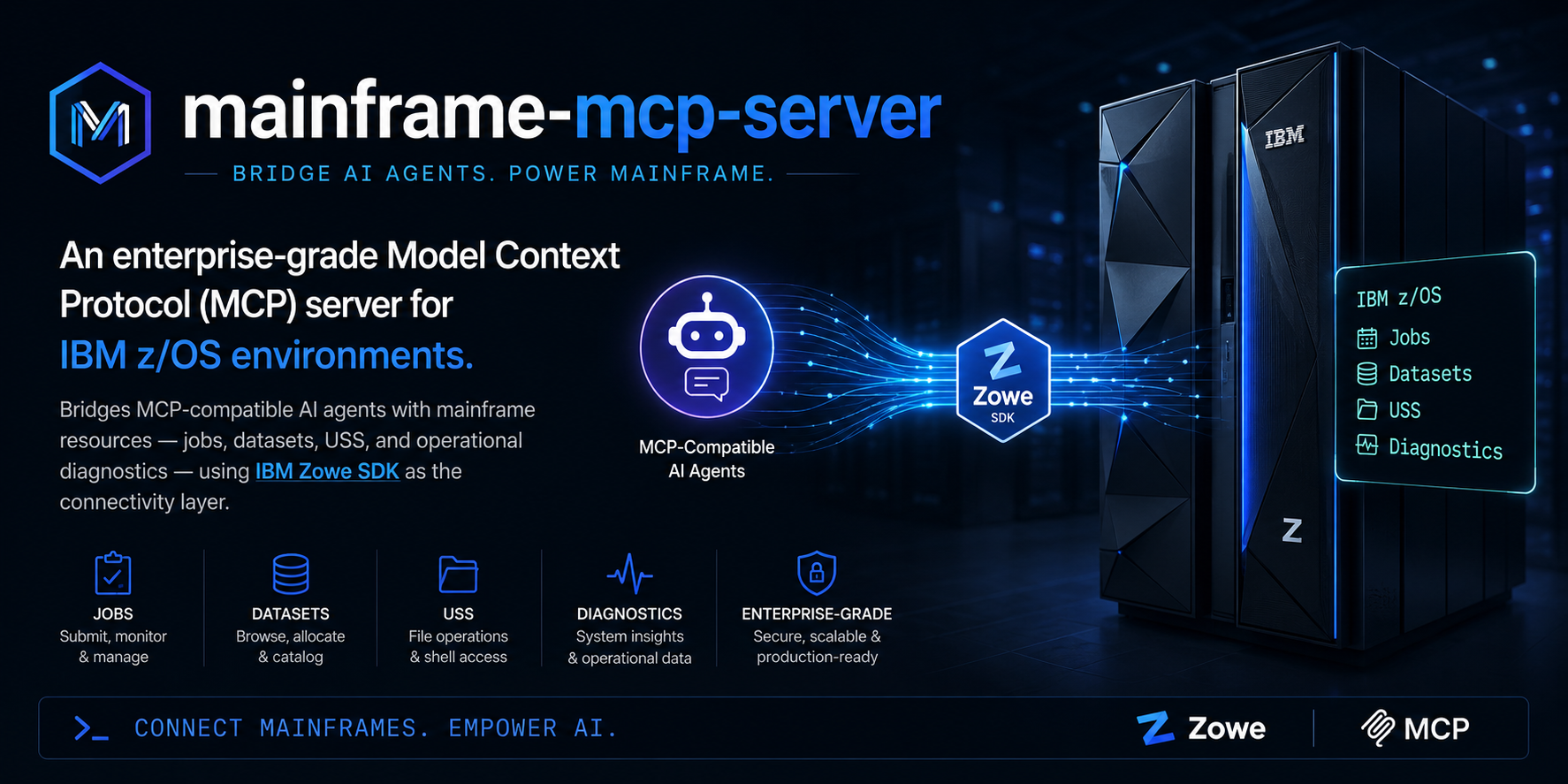
mainframe-mcp-server turns z/OS capabilities into MCP tools an AI agent can call.
Instead of typing Zowe CLI commands, you ask in natural language — “why did PAYJOB01 fail?” —
and the agent invokes the right tool with validated inputs and structured output.
MCP tool layer
30+ tools for jobs, datasets, USS, operations, CICS, Db2, SMF, security, and intelligence — designed for LLM parsing.
Zowe connectivity
Uses the same z/OSMF REST APIs as Zowe CLI and Zowe Explorer. Not a replacement for IDz or Z Open Editor — a bridge for AI assistants.
stdio by default
IDE launches the server as a local process. JSON-RPC on stdin/stdout; logs on stderr. No MCP HTTP port unless you explicitly enable SSE.
IDE-driven config
No .env file. Connection settings live in your MCP client config (env block). Installers prompt from server.json metadata.
How it's different
This server fills a gap cloud-native MCP tools cannot: governed, structured access to the mainframe for AI workflows.
Swipe horizontally to see all columns →
| mainframe-mcp-server | Zowe CLI | IBM IDz / RSE | Cloud MCP (K8s, AWS…) | |
|---|---|---|---|---|
| Interface | MCP tools for AI agents | Terminal commands | Eclipse IDE / RSE | MCP for cloud stacks |
| z/OS coverage | Jobs, datasets, USS, diagnostics, CICS, Db2 | Full Zowe command set | Edit, debug, compile | None |
| Workflow | “Why did this job fail?” | Manual scripting | Interactive development | N/A for mainframe |
| Output | Structured sections & tables for LLMs | Raw terminal text | IDE views | N/A |
| Requires | z/OSMF REST + MCP client | z/OSMF / profiles | RSE / subsystem connection | Cloud API credentials |
Features
Organized into core tooling, operational intelligence, optional enterprise integrations, and security controls.
Core
Job listing, status, spool output, JCL submit, dataset & PDS read/search, failure analysis, safety limits on response size.
Operational intelligence
USS tools, investigate_incident, system_health_summary, abend lookup, structured AI-friendly responses, integration test suite.
Optional enterprise integrations
CICS CMCI, Db2 REST catalog, SMF/RMF metrics, RACF audit queries — enabled through configuration when your environment provides them.
Security layer
Read-only by default, tool allow/block lists, dataset & USS boundaries, audit logging, JCL size caps — enforced at the MCP server in addition to RACF.
Per-user identity
PassTicket propagation so RACF sees who asked — not the service account. Plus mTLS client certificates, JWT/APIML (SSO) tokens, and Zowe team config import.
Governed writes
JCL pre-flight scan (IDCAMS DELETE, IEFBR14 DISP deletes, blocked utilities), change-ticket enforcement, change windows, dry-run, and human-in-the-loop approval.
Multi-environment
Named systems — DEV/TEST/UAT/PROD, multiple LPARs — behind one server. Every tool takes an environment argument; each system carries its own credentials and policy, e.g. read-only on PROD.
Policy-as-code & RBAC
One YAML policy file maps roles to tools, dataset/USS patterns, and change-ticket rules; users map to roles per environment. ${env:VAR} keeps secrets out of the file; unmapped users fail closed.
Audit & SIEM
Structured JSON audit records with correlation ids, exported to Splunk HEC, ELK/webhook, or OpenTelemetry. Records are SHA-256 hash-chained — tamper-evident and verifiable.
Data protection
PII, card numbers (Luhn-validated), SSNs, secrets, JWTs, and private keys masked in job output and dataset reads. Classifications add line caps, sampling, and role-gated access.
Console & JES
Gated operator commands (D A,L, D GRS, D WLM), JES2 hold/release, job cancel, IMS commands, operations-log tail, HSM activity, and EREP/LOGREC reports.
Schedulers
Control-M, CA 7, and IBM Workload Automation job status via REST adapters, plus JCL-based dataset-flow analysis for job dependency work.
Messaging & storage
IBM MQ queue depths and channel status via MQ REST, DASD volume space from z/OSMF SMI with low-space alerts, and VSAM/dataset attribute reads.
Capacity & cost
Per-step CPU from JES message logs, MSU estimates from your LPAR rating, MLC cost attribution with explicit pricing assumptions, and dump digests (CEEDUMP/SYSMDUMP/SYSUDUMP).
Supply-chain assurance
Official non-root image on GHCR, signed with Sigstore keyless cosign, SLSA provenance on npm, SPDX + CycloneDX SBOMs, signed checksums, and a hardened Helm chart.
Tools reference
Full input/output details:
tools-reference.md.
Every tool accepts an optional environment argument when multi-environment is configured
(see Enterprise).
Jobs
list_jobsList jobs by owner, prefix, or statusget_job_statusStatus and return code for a jobget_job_outputSpool inventory or DD contentsubmit_jclSubmit inline JCL — pre-flight scan, change ticket, change window, dry-run & approvalapprove_writeExecute a pending JCL submission after human review (one-time token)analyze_job_failureAbend code, failing step, suggested fixget_job_jclRetrieve submitted JCL from job spoolDatasets
list_datasetsList datasets matching an HLQ patternread_datasetRead a sequential dataset or PDS membersearch_datasetSearch datasets by patternsearch_membersSearch or list PDS membersget_dataset_infoCatalog attributes without reading contentUSS
list_uss_directoryList a USS directoryread_uss_fileRead a USS filesearch_uss_filesSearch files under a USS pathOperations
find_failed_jobsFailed jobs in a time windowsummarize_abendsAbend breakdown across recent jobssystem_health_summaryHEALTHY / DEGRADED / CRITICAL snapshotinvestigate_incidentFull incident bundle for a joblookup_abend_codeReference for S0C7, S806, S222, S0C4, …verify_zosmf_connectionTest z/OSMF connectivity and auth — run this firstcompare_jobsSide-by-side comparison of two jobsget_user_jobs_summaryJob counts by status for an ownerCICS · Db2 · SMF · Security · Intelligence
list_cics_regionsList CICS regions via CMCI RESTget_cics_region_statusStatus and attributes of a CICS regionlist_cics_transactionsTransaction definitions in a regionget_cics_region_statsRegion statistics/attributes from the CMCI CICSRegion resourcecics_newcopyNEWCOPY a program via CMCI action — gated write (CICS TS 5.6+)cics_disable_transactionDisable/enable a local transaction via CMCI SET — gated writelist_db2_subsystemsList Db2 locations via Db2 RESTsearch_db2_catalogSearch catalog tables and viewsget_smf_metricsSMF/RMF performance metrics snapshotquery_racf_auditQuery RACF audit records from a log sourcesecurity_posture_summaryActive security controls and recommendationsanalyze_root_causeDeep root-cause analysis with action itemspredict_batch_failuresPredictive risk scoring for batch failuresGovernance
list_environmentsNamed z/OS environments with per-environment read-only and role policywhoamiActing identity, resolved role, permissions, active environment, masking statusConsole & JES
issue_console_commandMVS operator commands (D A,L, D GRS) — gated write, with follow-up collectionget_console_messagesOperations-log tail (SYSLOG-style console feed)hold_job / release_jobJES2 $HJ / $OJ hold and release — gated writescancel_jobCancel a job via the z/OSMF jobs API — gated writeget_wlm_statusD WLM display — gated writeims_commandIMS commands via the system console (/DIS ACTIVE, /DIS TRAN …) — gated writeget_hsm_activityDFSMShsm recall/migration activity from the operations loganalyze_logrecSubmit an EREP report against LOGREC and summarize errors — gated writeSchedulers · MQ · Storage · Capacity · Dumps
scheduler_job_statusControl-M / CA 7 / IBM WLS job status via REST (SCHEDULER_ADAPTERS)job_dependenciesJCL dataset-flow analysis — inputs, outputs, updates, PROCsmq_queue_statusQueue depths vs maxdepth with high-water warnings (MQ REST)mq_channel_statusChannel status and connection counts (MQ REST)get_volume_spaceDASD volume space via z/OSMF SMI with low-space alertsget_job_capacityPer-step and total CPU from JESMSGLG + MSU estimateestimate_mlc_costMLC cost attribution from CPU/MSU with explicit assumptionssummarize_dumpCEEDUMP / SYSMDUMP / SYSUDUMP digest — codes, module, conditionsSetup instructions
Requirements: Node.js 18+, reachable z/OSMF endpoint, valid z/OS credentials (user/password or token).
Option A — Install via npm (recommended)
Published as @notharshhaa/mainframe-mcp-server. Listed on the MCP registry.
-
Add to your MCP client
Cursor:
~/.cursor/mcp.json· VS Code: MCP settings · Claude Desktop:claude_desktop_config.json -
Paste the server block
The IDE installer may prompt for values from
server.json. Credentials go in theenvblock — not a.envfile. -
Restart the IDE and test
Ask the agent to run
verify_zosmf_connection, thenlist_jobs.
{
  "mcpServers": {
    "mainframe": {
      "command": "npx",
      "args": ["-y", "@notharshhaa/mainframe-mcp-server"],
      "env": {
        "ZOSMF_HOST": "your-zosmf-host.internal",
        "ZOSMF_PORT": "443",
        "ZOSMF_TOKEN": "your-zosmf-token",
        "ZOSMF_TOKEN_TYPE": "LTPA2",
        "ZOSMF_REJECT_UNAUTHORIZED": "true",
        "SECURITY_READ_ONLY": "true",
        "SECURITY_AUDIT_LOGGING": "true"
      }
    }
  }
}
Option B — Run from source (VDI / internal Artifactory)
For environments that block public npm — clone the repo, install dependencies from your internal registry, build locally.
git clone https://github.com/NotHarshhaa/mainframe-mcp-server.git
cd mainframe-mcp-server
npm ci          # against your internal JFrog/npm mirror
npm run build
npm test          # unit tests, no mainframe required
{
  "mcpServers": {
    "mainframe": {
      "command": "node",
      "args": ["/absolute/path/to/mainframe-mcp-server/dist/index.js"],
      "env": {
        "ZOSMF_HOST": "your-zosmf-host.internal",
        "ZOSMF_PORT": "443",
        "ZOSMF_TOKEN": "your-zosmf-token",
        "ZOSMF_TOKEN_TYPE": "LTPA2"
      }
    }
  }
}
MCP_TRANSPORT=sse if your organization requires stdio-only MCP.
Omit MCP_TRANSPORT entirely — stdio is the default.
Required environment variables
Swipe horizontally to see all columns →
| Variable | Required | Description |
|---|---|---|
ZOSMF_HOST | Yes | z/OSMF hostname or IP |
ZOSMF_TOKEN | Yes* | Token auth — recommended over basic credentials |
ZOSMF_USER / ZOSMF_PASSWORD | Yes* | Basic auth — alternative to token auth |
ZOSMF_PORT | No | HTTPS port (default 443) |
ZOSMF_BASE_PATH | No | API gateway / APIML prefix if applicable |
ZOSMF_USER_ID | No | End-user id for PassTicket identity propagation — RACF sees who asked |
ZOSMF_CERT / ZOSMF_CERT_KEY | No | mTLS client certificate (PEM) — alternative to token auth |
ZOWE_TEAM_CONFIG | No | Import connection settings from a Zowe team config profile |
ZOSMF_REJECT_UNAUTHORIZED | No | TLS verification (default true) |
SECURITY_POLICY_FILE | No | YAML policy file: roles, users→roles, named environments, data classifications |
ZOSMF_ENVIRONMENTS | No | JSON array of named z/OSMF endpoints — multi-environment without a policy file |
ZOSMF_ENV | No | Default environment for tool calls that omit the environment argument |
SECURITY_AUDIT_FILE | No | NDJSON audit log with SHA-256 hash chain (verify: npm run verify:audit) |
SECURITY_AUDIT_SPLUNK_URL / _TOKEN | No | Splunk HEC audit export |
SECURITY_AUDIT_WEBHOOK_URL / _TOKEN | No | Generic HTTP webhook (ELK ingest, syslog-over-HTTP, SIEM bridge) |
SECURITY_AUDIT_OTLP_URL | No | OpenTelemetry collector (OTLP/JSON /v1/logs) |
SECURITY_DATA_PROTECTION | No | Mask PII/PCI/SSN/secrets in job output and dataset/USS reads (default true) |
SECURITY_REDACTION_RULES / _STYLE | No | Rule ids (ssn,credit_card,email,secrets,jwt,private_key) and mask style (mask | token) |
* Provide either user/password or a token.
Full reference: configuration.md · enterprise.md · deployment.md · mcp-client.example.json
Containers, Helm & supply-chain assurance
Releases publish an official non-root image to GHCR (signed with Sigstore keyless cosign, with SLSA provenance + SBOM attestations), the npm package ships with SLSA provenance, and every GitHub release carries SPDX + CycloneDX SBOMs plus a signed checksum manifest. A hardened Helm chart deploys the server read-only with dropped capabilities.
# Verify the image signature (keyless, bound to this repo's release workflow)
cosign verify ghcr.io/notharshhaa/mainframe-mcp-server:3.0.0 \
  --certificate-identity-regexp 'https://github.com/NotHarshhaa/mainframe-mcp-server/\.github/workflows/release\.yml@refs/tags/v' \
  --certificate-oidc-issuer https://token.actions.githubusercontent.com

# Deploy on Kubernetes (non-root, read-only rootfs, policy + SIEM wired via values)
helm install mainframe-mcp helm/mainframe-mcp-server \
  --set zosmf.host=zosmf.example.com \
  --set zosmf.token="$ZOSMF_TOKEN" \
  --set policy.existingConfigMap=mcp-policy \
  --set security.auditOtlpUrl=http://otel-collector:4318
Enterprise deployment
Security and governance enforced at the MCP server layer — in addition to RACF and z/OSMF permissions.
Per-user identity — RACF sees who asked
Four mechanisms replace the shared service account. CICS and Db2 REST calls keep the service identity; z/OSMF tool calls run as the end user.
Swipe horizontally to see all columns →
| Mechanism | Setup | Notes |
|---|---|---|
| PassTicket propagation | ZOSMF_USER_ID · ZOSMF_PASSTICKET_APP | Server generates z/OSMF PassTickets for the end user; every z/OSMF call runs under that identity. 8-minute cache, auto-renewed. Requires PTKTDATA setup. |
| mTLS client certificate | ZOSMF_CERT · ZOSMF_CERT_KEY | PEM files; pairs with RACF IDID certificate-to-user mapping. |
| JWT / APIML (SSO) | ZOSMF_TOKEN_TYPE=APIML or JWT | Sent as Authorization: Bearer. Issue via your IdP/gateway; inject with ZOSMF_TOKEN_FILE for refreshable vault tokens. |
| Zowe team config import | ZOWE_TEAM_CONFIG · ZOSMF_PROFILE | Reuse existing Zowe profiles; @secure values honored when stored in the file. Env vars always win. |
Governed writes
Every gate is independent and operator-controlled — the agent cannot turn any of them off.
Swipe horizontally to see all columns →
| Gate | Variable | Purpose |
|---|---|---|
| Read-only mode | SECURITY_READ_ONLY=true | Blocks submit_jcl, approve_write, and write tools (default true) |
| Pre-flight JCL scan | SECURITY_JCL_SCAN=true | Blocks IDCAMS DELETE, IEFBR14 DISP=(…,DELETE), blocked utilities, restricted classes (default on) |
| Blocked programs / classes | SECURITY_BLOCKED_PROGRAMS · SECURITY_BLOCKED_JOB_CLASSES | Extend the deny list (ADRDSSU, ICKDSF, IEHINITT built in) |
| Change ticket | SECURITY_CHANGE_TICKET_PATTERN | Writes must carry a matching ticket ID, e.g. CHG[0-9]{6} |
| Change window | SECURITY_WRITE_WINDOW + days + timezone | No PROD submits outside approved hours (overnight windows supported) |
| Human approval | SECURITY_WRITE_APPROVAL=true | submit_jcl returns a one-time token; approve_write executes after human review |
| Tool allowlist | SECURITY_ALLOWED_TOOLS | Least-privilege tool access |
| Tool blocklist | SECURITY_BLOCKED_TOOLS | Explicitly deny tools |
| Dataset boundaries | SECURITY_ALLOWED_DATASET_PATTERNS | Restrict HLQ patterns |
| USS boundaries | SECURITY_ALLOWED_USS_PATHS | Restrict path prefixes |
| Audit logging | SECURITY_AUDIT_LOGGING=true | JSON audit line per tool call (stderr) |
| JCL size limit | SECURITY_MAX_JCL_BYTES | Cap inline JCL submit size |
submit_jcl({ dryRun: true }) runs structure checks and the pre-flight scan and reports
exactly what a real submission would do — without enforcing gates and without touching JES.
Multi-environment, policy-as-code & RBAC, audit & SIEM, data protection
Four scale-up capabilities layer on top of the controls above — env-var rules always apply, and the policy file
can only narrow them. Operator commands, JES2 hold/release, job cancel, IMS commands, CICS NEWCOPY and
transaction disable are all gated writes: they respect SECURITY_READ_ONLY, role
allow-lists, change tickets, and change windows like submit_jcl does. Full guide:
enterprise.md ·
worked example:
policy.example.yaml
Swipe horizontally to see all columns →
| Capability | Setup | What you get |
|---|---|---|
| Multi-environment | Policy environments: or ZOSMF_ENVIRONMENTS (JSON) · default via ZOSMF_ENV |
Named systems (DEV/TEST/UAT/PROD, LPARs) behind one server. Every tool takes an environment argument; per-environment readOnly (e.g. PROD), allowedRoles, per-user environment restrictions, and per-environment credentials with cached sessions. list_environments shows the targets. |
| Policy-as-code & RBAC | SECURITY_POLICY_FILE=policy.yaml |
Roles → tool allow/deny globs, dataset/USS patterns, per-role read-only and change-ticket rules, read caps. Users → roles per environment; unmapped users get the default role or fail closed. Role inheritance with fail-safe readOnly accumulation. |
| Audit & SIEM | SECURITY_AUDIT_FILE · SECURITY_AUDIT_SPLUNK_URL/_TOKEN · SECURITY_AUDIT_WEBHOOK_URL · SECURITY_AUDIT_OTLP_URL |
One JSON record per call: correlation id, user, MCP client, environment, tool, redacted arguments, outcome, duration, result size. Batched, best-effort export — a dead collector never blocks a call. SHA-256 hash chain makes the stream tamper-evident: npm run verify:audit detects any edit, deletion, or reordering. |
| Data protection | SECURITY_DATA_PROTECTION=true (default) · SECURITY_REDACTION_RULES · SECURITY_REDACTION_STYLE · policy classifications: |
SSNs, credit cards (Luhn-validated), emails, secrets (PASSWORD=, api_key:), JWTs, and private keys masked in job output and dataset/USS reads, with an explicit [data protection: …] footer. Classifications add per-resource rule overrides, line caps, head/tail sampling, and role-gated access. |
version: 1
defaults:
  role: viewer
  environment: dev
environments:
  prod:
    host: prod.zosmf.example.com
    password: ${env:ZOSMF_PROD_PASSWORD}
    readOnly: true                 # PROD is read-only
    allowedRoles: [operator, sre]
roles:
  viewer:
    tools: { allow: ["list_*", "get_*", "read_*", "search_*"] }
    readOnly: true
  operator:
    inherits: viewer
    readOnly: false                # explicit — parents are read-only
    datasets: { allow: ["PROD.**"] }
    changeTicketPattern: "CHG[0-9]{6}"
users:
  - username: BOB
    roles: [operator]
    environments: [dev, test, prod]
dataProtection:
  classifications:
    - name: pci-cardholder
      datasets: ["PROD.CARDS.**"]
      redact: [credit_card, ssn]
      maxLines: 200
      sample: { head: 100, tail: 25 }
X-MCP-User header
(gateway deployments where an authenticating proxy injects it), ZOSMF_USER_ID, or the service
account. Check the effective policy anytime by asking the agent to run whoami.
verify_zosmf_connection · security_posture_summary · start with
SECURITY_READ_ONLY=true and SECURITY_JCL_SCAN=true · enable SECURITY_AUDIT_FILE
(or a SIEM sink) from day one · put roles and environments in SECURITY_POLICY_FILE rather than env-var lists ·
verify the trail with npm run verify:audit.
Examples
Natural-language prompts map to MCP tool calls with structured responses.
Tool: analyze_job_failure({ jobId: "JOB01234" })

Job:     PAYJOB01 (JOB01234)
Status:  ABEND S806
Step:    STEP030 - LOADPGM
Reason:  Program load failure — module PAYRPTX not found
Fix:     Verify PAYRPTX is compiled and linked into the correct load library.
Tool: find_failed_jobs({ hours: 24 })
Tool: lookup_abend_code({ code: "S0C7" })
Tool: predict_batch_failures({ hours: 168 })
Tool: list_environments({})

  Name     │ Description        │ z/OSMF                     │ Writes    │ Roles
  default *│ Base connection    │ zosmf.example.com:443      │ read-only │ —
  dev      │ Development LPAR   │ dev.zosmf.example.com:443  │ read-write│ —
  prod     │ Production sysplex │ prod.zosmf.example.com:443 │ read-only │ operator

Tool: whoami({})
  Role: operator · Writes: permitted · Datasets: PROD.** · Ticket: CHG[0-9]{6}
Tool: read_dataset({ dsn: "PROD.CARDS.MASTER", environment: "prod" })

[masked content — PANs and SSNs redacted, first 100 + last 25 of 4,210 lines]

[data protection: 312 item(s) masked (credit_card, ssn);
 classification "pci-cardholder": sampled first 100 + last 25 of 4,210 lines]
Tool: submit_jcl({ jcl: "...", environment: "prod" })

Error [FORBIDDEN]: Tool "submit_jcl" is a write operation and
environment "prod" is read-only (policy: environments.prod.readOnly).
Tool: job_dependencies({ jobId: "JOB01234" })

1. SUMMARY
  Inputs (read):    PROD.PAY.TRANS, DEV.PAY.EXTRACT
  Updates:          PROD.PAY.MASTER
  Outputs:          PROD.PAY.RESULTS, PROD.PAY.LOG
  PROCs invoked:    PAYMERGE
Tool: issue_console_command({ command: "D A,L" })

1. RESPONSE  (console MCPDYN01)
  IEE114I 10.45.12 ACTIVE OPRUNIT=SYS1 …

[blocked with SECURITY_READ_ONLY=true unless explicitly enabled]
Tool: summarize_dump({ jobId: "JOB01234", ddName: "SYSUDUMP" })

Dump type: SYSUDUMP · System CC: S0C4 · User CC: 1234
Failing module: PAYRPTX offset 0000A2C6
Sections: REGISTERS, STORAGE, CONTROL BLOCKS